In this beginner-friendly guide, we'll walk you through the process of crafting a compelling blog post. From keyword research to using visuals, and even tips on enhancing readability, we've got you covered. So, get ready to unleash your inner blogger!
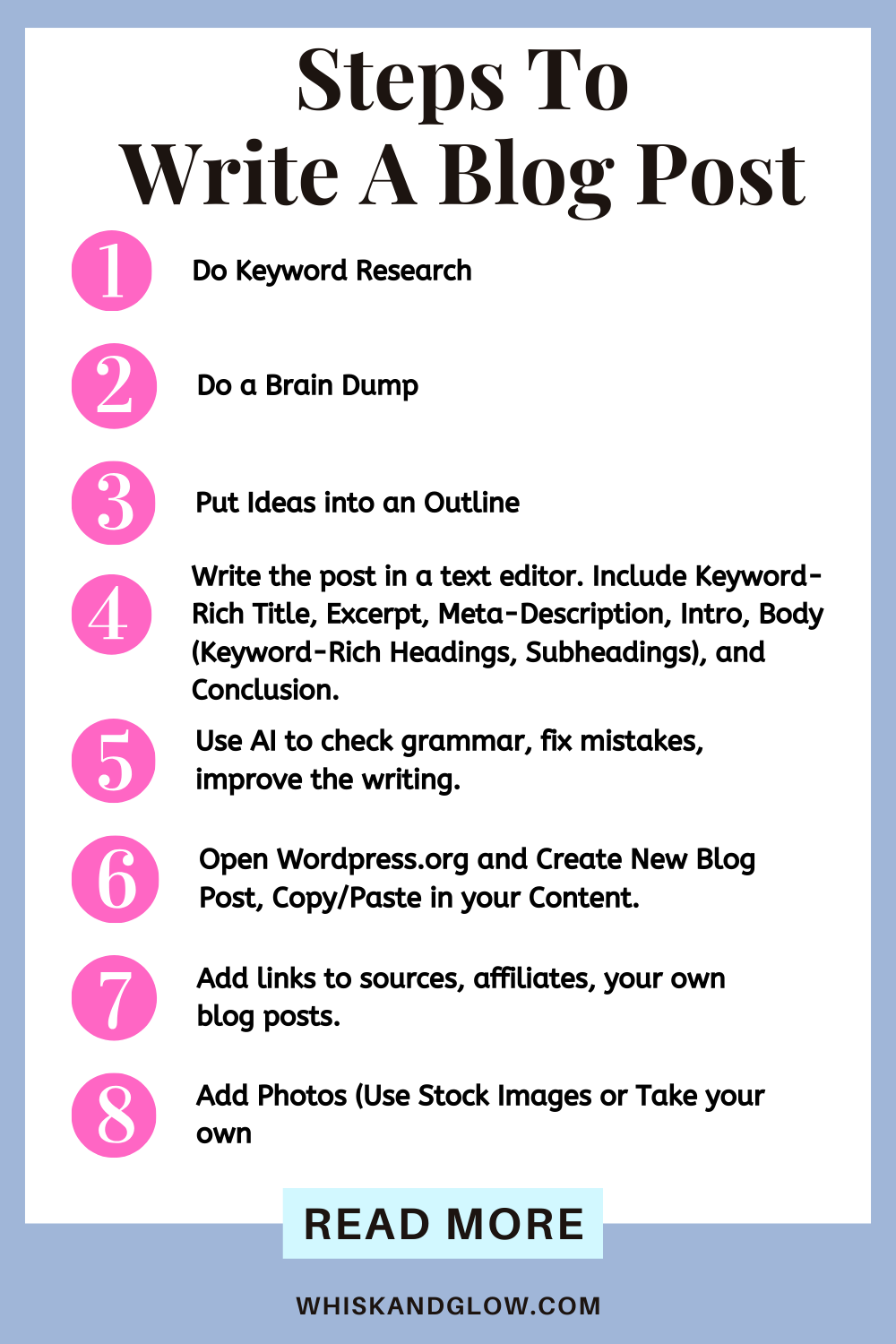
Welcome to the world of blogging! Whether you're a newbie or a seasoned writer, creating a captivating blog post is essential for engaging your audience. In this guide, we'll break down the steps you need to follow to craft a fantastic blog post that keeps your readers coming back for more. So, grab your digital pen and let's get started!
1. Keyword Research
The first step in creating a compelling blog post is keyword research. But don't think of them as single words; instead, focus on key phrases. To start, check out Miles Beckler's videos for a thorough guide on how to do keyword research.
2. Gather Your Photos
Images are worth a thousand words. Three pictures are perfect for a blog post. This includes a featured image and two vertical images. You can also reuse a horizontal image within the second part of your post. Either capture your own or use stock images – the choice is yours!
3. Content Creation
When writing your blog post, it's essential to concentrate on one main key phrase at a time. Using variations of the same key phrase can add depth to your content.
4. Outline Your Ideas
Before diving into the actual writing, create an outline for your post. Incorporate key phrases in your title, headings, and content, as well as in image titles and alt-text. Every piece of text in your blog post should resonate with your chosen key phrases.

5. Do A Brain Dump
Begin by dumping your thoughts into a Word document or plain text editor. You can maintain a file with all your brainstormed ideas. Later, transfer them to a dedicated file for the specific post. Don't forget to utilize tools like ChatGPT and Grammarly for editing and improvements.
6. Incorporate Links
Add external links in brackets after each item you can link to. Additionally, be sure to incorporate internal links to your own blog posts, enhancing your blog's connectivity.
7. A Little Help from ChatGPT
ChatGPT can assist you in crafting a meta-description, an excerpt, and provide variations of title suggestions. All you need to do is ask. It can be tricky to get the prompts right to give you the results you are looking for, but it's a valuable ally in your blogging journey.
8. Creating Your Blog Post
Once your content is ready, it's time to log into WordPress and create a post. Follow the platform's intuitive interface to make your blog post come to life.
Once clicking on "Add New Post" in the WordPress dashboard, under the Yoast SEO tab, fill out or edit the following:
- Focus Keyphrases - I choose just one
- Change how the SEO title appears - You can also edit this for all new posts by going to the reading settings on your WordPress Dashboard. I like to display just the title of the post, so this is where I make that change.
- Add google friendly and keyword-rich slug
- Add keyword-rich meta-description.
Make changes until all of these settings for the Yoast SEO turn green (a full green bar).

9. Add Visual Appeal
Keep your readers engaged by incorporating photos to break up sections. You can also use tables, charts, bullet points, and other visual aids when your text becomes too heavy.
Options for Images:
- If you have Canva Pro, there are images you can use but there are size limitations (image dimensions) for use on websites. If you have the free plan, you can't use images on your website. Pins made with images are different from my understanding, but you'll always want to read the legal statements and usage allowances prior to using anything.
- Pexels.com or Pixabay.com allow use of images for free. A donation to the artist is suggested but not required.
- Take your own photos! This is the best option, in my opinion.
Sometimes when I can't find relevant images, I will make a pin with an image or text only, and use that to add visual interest and color to my post.
10. Make Skimmable Content
Make your paragraphs easily readable by keeping them short, containing 2-3 sentences each. Create white space between them to maintain a blog post that's easy to skim.
Conclusion
Creating a blog post might seem like a daunting task, but with these steps, you can write captivating content that your readers will enjoy. Remember, the journey of a thousand words begins with a single keystroke. So, start writing, and let your creativity flow!